Set up the phone
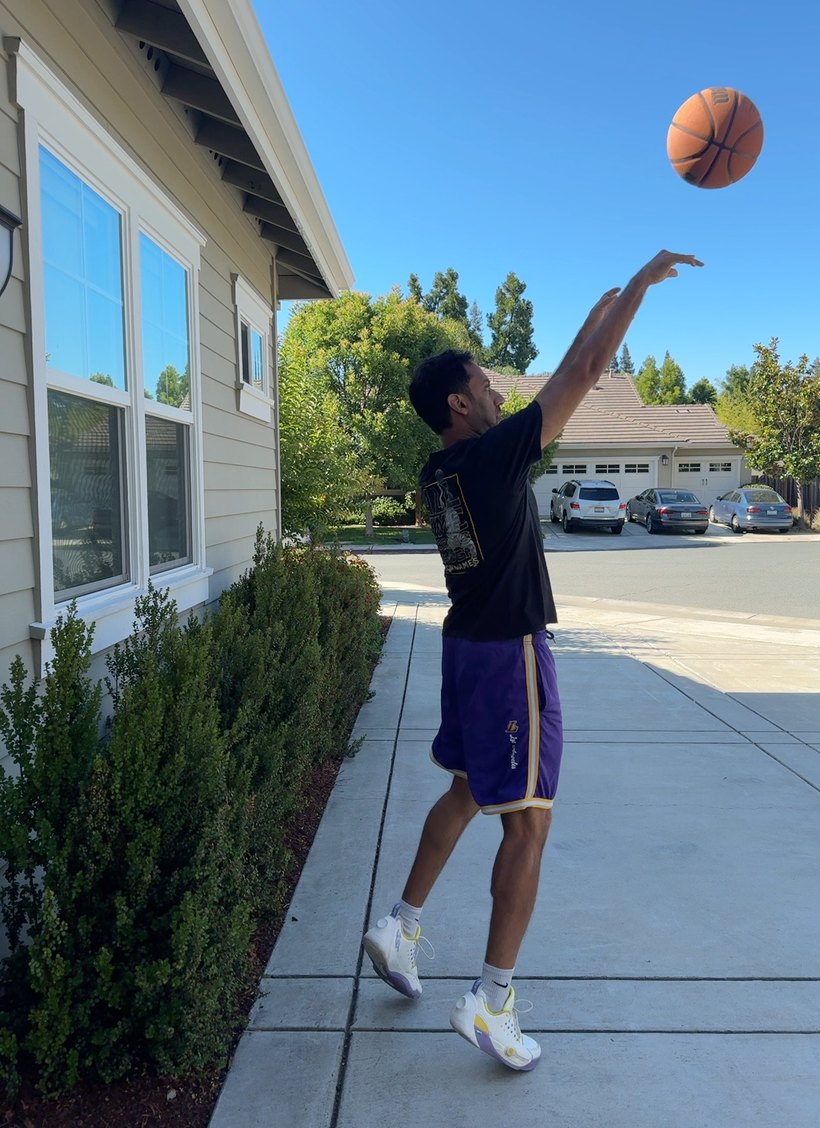
Tripod to the side of your shooting line, framed head to feet. The side view is what lets it read your angles.
On-device shooting coach · for iPhone
Set your phone on a tripod. Shoot. Deep Range IQ reads your form and gives you real-time audio feedback on what to adjust before your next shot.
Why it matters
Reps don’t fix your form. Feedback does.
The most effective way to improve your shot is to get feedback in real time. Analysis after you’ve left the gym sounds great, but by then you don’t remember what you last did or how to adjust.
Deep Range IQ is that real-time coach.
How it works
The whole loop fits inside the rhythm you already shoot in. Release, chase the ball, set up, go again.
Tripod to the side of your shooting line, framed head to feet. The side view is what lets it read your angles.
Take your normal jump shot. A tone confirms the app saw your release.
While you chase the ball, it speaks the single biggest fix. Clean shot? A quick tone, nothing to change.
Apply the fix on the next rep. The loop keeps pace with practice until you tap Stop.
It coaches your motion, not your makes. Form first, on purpose.
What it watches
Every shot is checked against the same standard elite shooters hit. When a number drifts out of range, that’s the shot you hear about.
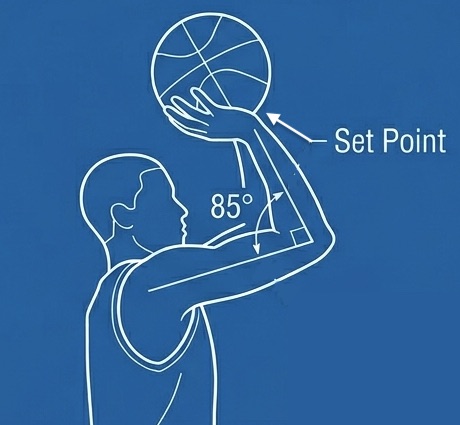
The angle at your elbow when the ball reaches its highest point before launch. The classic shooter’s “L.”
Check your elbow angle.
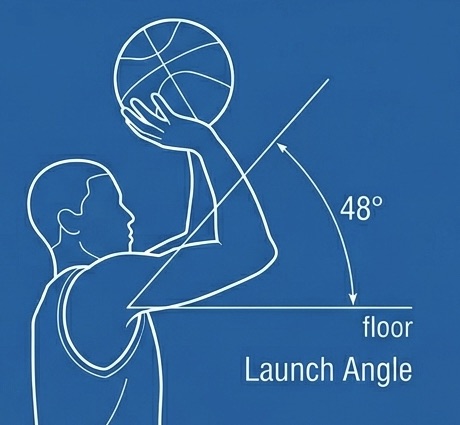
The angle your shot leaves on at release. Too flat and it clanks, too high and it moons.
Get more arc.
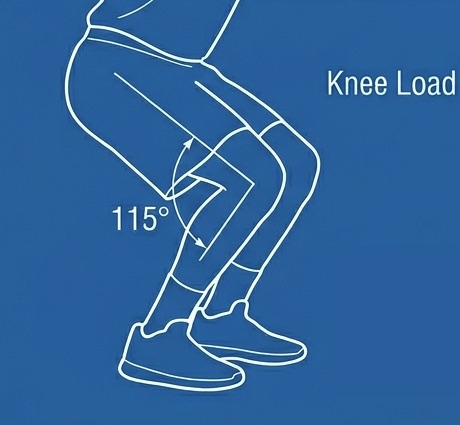
How deep you bend at the lowest point of your dip. Your power comes from the legs, not the arm.
Bend your knees.
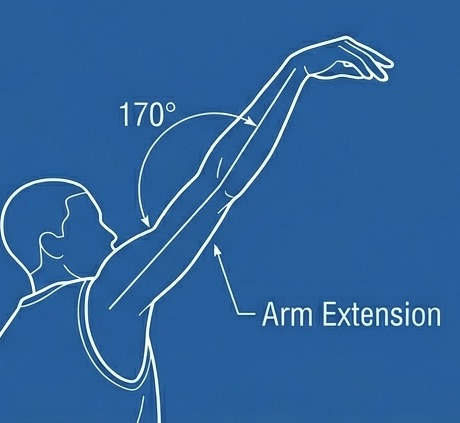
How fully you extend at release. A short arm leaves the shot flat and the follow-through unfinished.
Extend your arm fully.
Real-time feedback
Most tools bury you in numbers. Deep Range IQ ranks every flaw by how far off it is, then speaks only the worst one, fast enough to use before your next shot.
Under the hood: real-time body-pose tracking on Apple’s Vision framework, running entirely on your iPhone. No footage leaves the device.
On-Device Compute
Every frame is analyzed on your device. Nothing is uploaded, nothing is streamed to a server.
No sign-in, no sync, no profile to leak. Open the app and shoot.
Because it never round-trips to a server, the coaching lands while the shot still matters.
Download
All you need for a session:
References
Set Point 85° – 95°
Source 85–95° is a proxy to have the shooter’s elbow under the ball to maximize energy transfer. True set point calculation relies on a combination of measuring elbow flexion, shoulder flexion, and vertical ball velocity. Consistency is more important for set point vs adherence to a specific value.
Launch Angle 45° – 52°
Source At the free throw line, the ideal angle is 52° (Taylor & Francis). Launch angle will decrease based on distance from basket. Considering Noah’s research, we know an entry angle of 45° is the optimal entry angle for a basketball; we use a release angle range of 45° as the floor to proxy for this (note this proxy does not take into account height of shot). Our ideal range is thus 45°–52°. Future iterations of this app may see more robust guidance for this angle.
Knee Load 115° – 135°
Source This range reflects measurements from anecdotal footage of low dip shooters (e.g. Steph Curry) against shooters that dip a bit more to get more vertical height (e.g. Klay Thompson). Similar to set point, there is no perfect value; consistency is more important.
Arm Extension 170°+
Source During the follow through, arm should be fully extended to maximize energy transfer and help with consistency. 170°+ is a proxy to signal a fully extended arm.